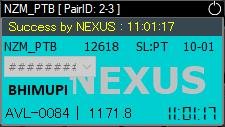
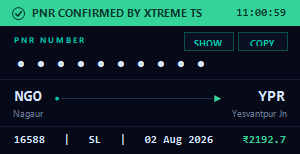
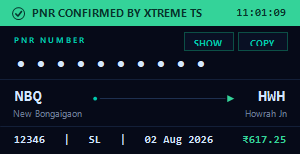
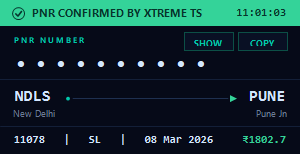
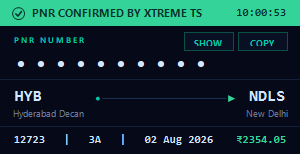
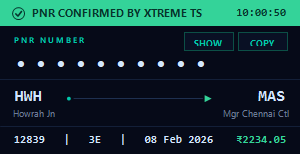
Xtreme Tatkal Software
Advanced Booking Assistant with Web Login & Xtreme Login Support
Xtreme Tatkal Software is a modern booking assistant solution designed to provide users with a smooth, organized, and convenient workflow experience. The software comes with a simple interface, optimized performance, and flexible login options to make the user experience easier and more efficient.
With support for Web Login and Xtreme Login, users can choose their preferred working method according to their requirements. Xtreme Tatkal Software is developed with a focus on usability, easy setup, and regular improvements to provide a reliable software experience.
TSF Group continuously works on improving product quality by providing software updates, activation assistance, and customer support.
Key Features of Xtreme Tatkal Software
✅ Web Login Support
Xtreme Tatkal Software provides Web Login support with a user-friendly interface and organized workflow. Users can access the software environment through a simple and convenient login process.
✅ Xtreme Login Support
The software includes Xtreme Login support, giving users an additional login option for a flexible and convenient working experience.
✅ Simple & User-Friendly Interface
The software comes with an easy-to-understand dashboard that helps users manage settings and features without unnecessary complexity.
✅ Optimized Workflow
Xtreme Tatkal Software is designed to provide a smooth and organized workflow experience with regular improvements for better usability.
✅ Regular Updates & Support
TSF Group provides regular product improvements and customer assistance to help users maintain a better software experience.
Xtreme Tatkal Software Purchase & License Activation Process
After purchasing Xtreme Tatkal Software from the TSF Group website, users receive instant software license access.
After successful purchase:
- Software License Key is available on your registered email.
- License Key can also be viewed inside your My Account section on the website.
- Setup file access is available inside the My Account → Downloads section.
Xtreme Tatkal Software Setup Installation Guide
Step 1: Download Setup File
After purchasing the software:
- Login to your TSF Group account.
- Open My Account section.
- Go to the Download area.
- Download the latest Xtreme Tatkal Software setup file.
Step 2: Extract Setup Files
After downloading:
- Extract the ZIP file.
- Open the extracted software folder.
- Locate the setup application file.
Step 3: Run Software Setup
Open the setup folder and run the available .exe file.
After running the application, Xtreme Tatkal Software will open on your system.
Step 4: Activate Software License
When the software opens:
- Enter your Software License Key.
- Copy the license key from:
- TSF Group My Account section
- Registered email
- Paste the license key into the software activation section.
After successful activation, the software will be ready to use.
Software Configuration Process
After activation:
- Complete the required software details.
- Add necessary account information.
- Fill required payment-related details.
- Save the completed form/settings.
After saving the configuration, the software will be ready for your workflow.
Start Using Xtreme Tatkal Software
After completing setup and configuration:
- Open Windows system.
- Launch Xtreme Tatkal Software.
- Select your preferred login option.
- Use Web Login or Xtreme Login according to your requirement.
Why Choose Xtreme Tatkal Software?
Xtreme Tatkal Software provides a combination of simple setup, flexible login options, and user-friendly features.
Benefits:
✔ Web Login Support
✔ Xtreme Login Support
✔ Easy Installation Process
✔ Instant License Key Access
✔ My Account Download Facility
✔ Simple Activation Process
✔ Regular Improvements
✔ Customer Support Assistance
TSF Group Customer Support
TSF Group provides assistance related to:
- Software purchase information
- License activation
- Installation guidance
- Setup assistance
- Product-related queries
Our support team helps users with a smooth setup experience.
Frequently Asked Questions (FAQ)
What is Xtreme Tatkal Software?
Xtreme Tatkal Software is an advanced booking assistant solution designed with Web Login and Xtreme Login support.
Where will I get my software license key?
After purchase, the license key is available on your registered email and inside your TSF Group My Account section.
Where can I download the setup file?
After purchase, users can download the setup file from the My Account → Downloads section.
How do I activate Xtreme Tatkal Software?
Install the software, open the application, enter your license key, and complete the activation process.
Is setup assistance available?
Yes, TSF Group provides setup and activation guidance to customers.
Conclusion
Xtreme Tatkal Software is designed to provide a simple, flexible, and user-friendly booking assistant experience. With Web Login support, Xtreme Login compatibility, easy activation, and dedicated customer support, it provides a convenient solution for users looking for an organized software workflow.
TSF Group focuses on providing quality software solutions with continuous improvements and customer assistance.